
Recall List
Purpose
This guide walks through the process for reviewing recalls, monitoring Recipient Agency (RA) responses, generating recall reports, modifying recalls, and deleting recalls within the Food Distribution module. The Recall List automatically displays recalls that have previously been created through the Add Recall process.
Step-by-Step Instructions
Reviewing the Recall List
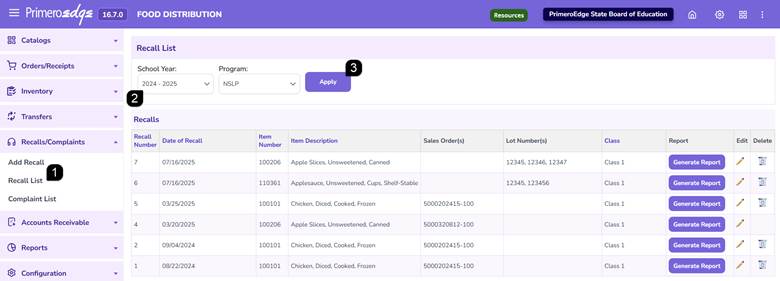
- Navigate to the Food Distribution module > Recalls/Complaints > Recall List page.
- Select the applicable School Year and Program.
- Click Apply to display matching recall records.
Note: The Recall List automatically displays recalls previously entered through the Add Recall process.
Note: Recall records may be sorted by selecting the column headers.
Generating a Recall Report
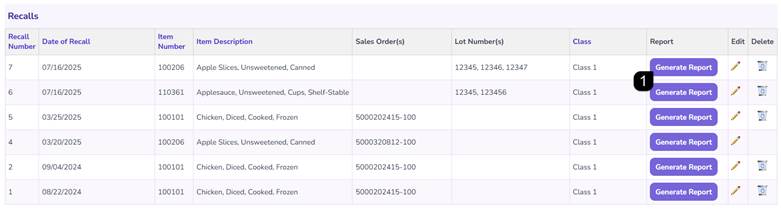
- Locate the desired recall record. Click Generate Report to review Recipient Agency responses and recall details.
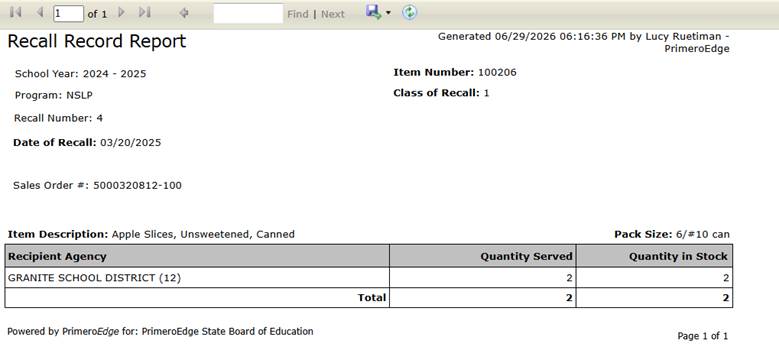
Note: The Recall Report displays recall information and Recipient Agency response data associated with the selected recall.
Modifying a Recall
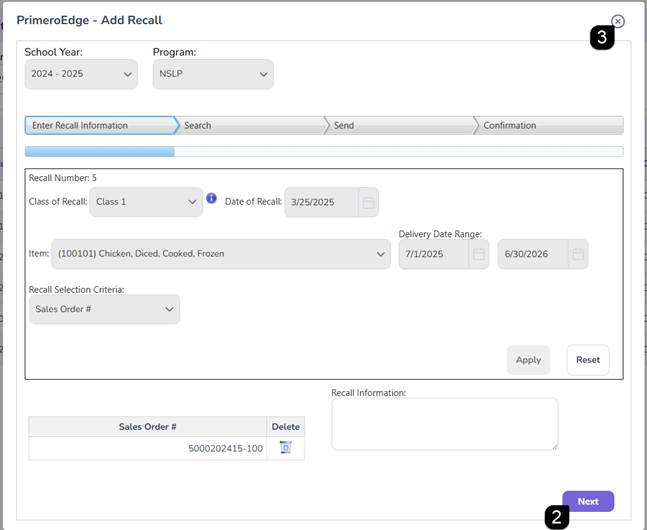
- Locate the desired recall record and click the Pencil icon.
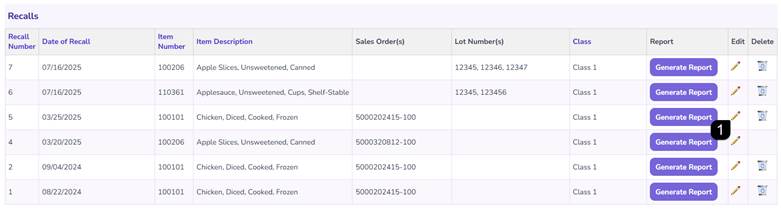
- Update the recall information, review impacted Recipient Agencies and resend recall notifications if necessary. Click Next to move through the steps in the pop-up window.
- Close pop-up window when done.
Note: The Edit Recall process uses the same workflow as the Add Recall process, including searching impacted Recipient Agencies and sending recall notifications.
Deleting a Recall
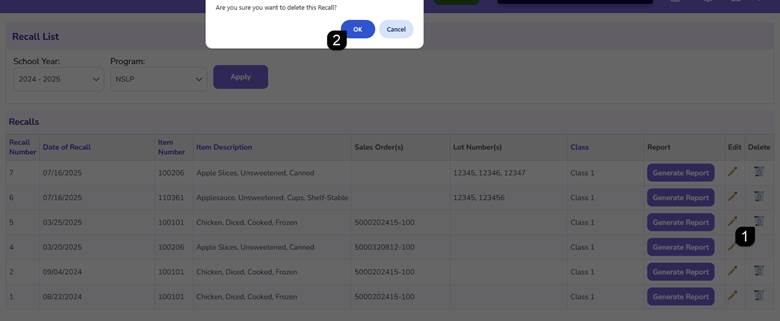
- Locate the desired recall record and click the Trash icon.
Note: A recall can only be deleted if none of the notified Recipient Agencies have responded to the recall.
- Review the confirmation message and click OK to complete the deletion.
Note: Once deleted, the recall is removed from the Recall List.
FAQs
Q: How do I view Recipient Agency responses to a recall?
A: Click Generate Report to open the Recall Record Report and review Recipient Agency response information.
Q: Can I modify an existing recall?
A: Yes. Click the Pencil icon to open the recall and make updates using the same process used when creating a recall.
Q: Why can't I delete a recall?
A: A recall cannot be deleted after one or more notified Recipient Agencies have responded to the recall.