
Advertisement List
Purpose
This guide provides the process for Recipient Agencies (RAs) to view, respond to, and acknowledge USDA Food Advertisements. This ensures that food requests are submitted accurately during open windows and that orders received are formally acknowledged upon completion.
Status | Definition |
Open | The advertisement is available for RA order requests. |
Closed | The advertisement is no longer open for RA order requests. |
Complete | State Agency has reviewed and finalized the advertisement, and the applicable RA USDA Foods Items requests are updated. |
Step-by-Step Instructions
Accessing and Filtering the Advertisement List
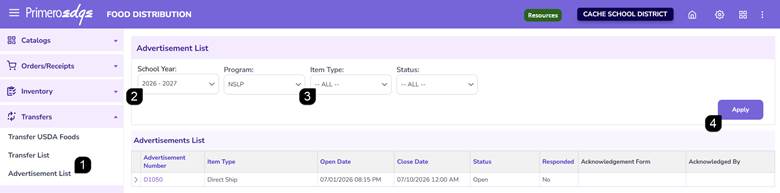
- Navigate to the Food Distribution module > Transfers > Advertisement List page.
- Select the School Year and Program from the dropdowns.
- Optionally, filter by Item Type or Status.
- Click Apply to generate the results table.
Reviewing Advertisement Details
- Review the advertisements displayed within the Advertisement List table.
Note: Advertisement numbers beginning with "P" indicate Processed Goods advertisements, while advertisement numbers beginning with "D" indicate Direct Ship advertisements.
- Click the Arrow to expand the advertisement details.
- Verify the Open/Close Dates and the Status to ensure eligibility and deadlines.
- Verify if the Recipient Agency has already Responded or not.
- Click the Advertisement Number hyperlink to open the Advertisement.

Responding to an Open Advertisement
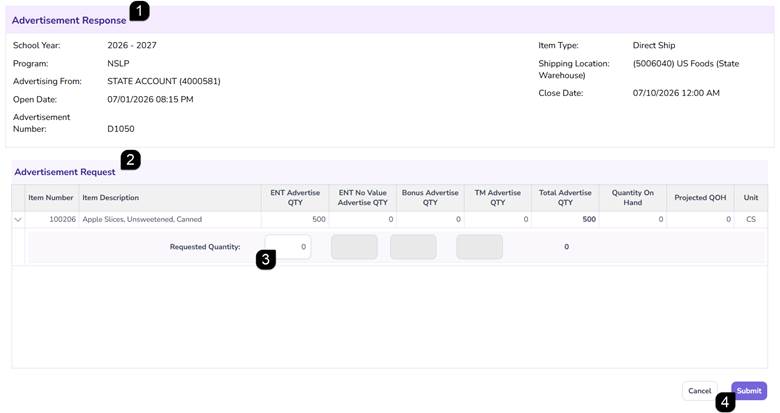
- Open an Advertisement in Open status and review the Advertisement Response.
- In the Advertisement Request section, locate the items for request
- Enter the desired Requested Quantity.
Note: Only whole numbers greater than zero are accepted.
- Click Submit.
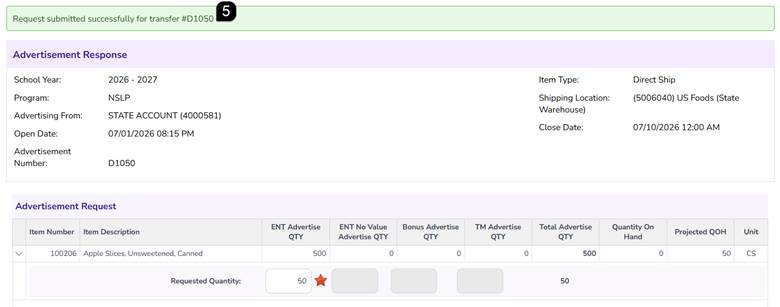
- Verify the green success message appears
Note: Responses remain editable as long as the status is "Open."
Managing Closed Advertisements
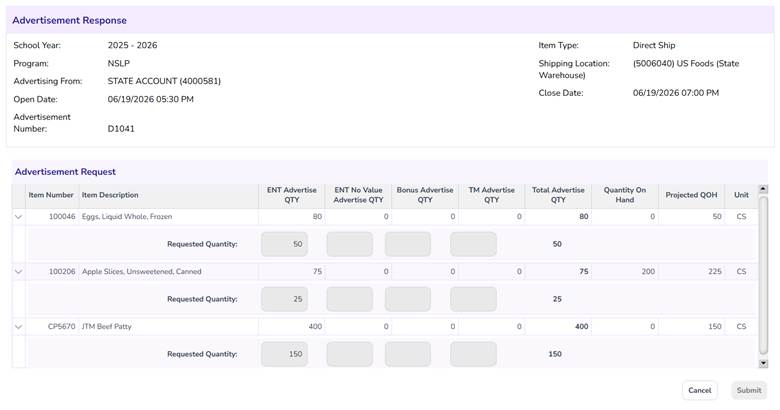
- If the status is Closed, the advertisement is in view-only mode.
- Review the requested quantities to ensure they align with your records. No further edits can be made.
Finalizing and Acknowledging Completed Advertisements
When an advertisement status reaches Complete (Approved by the State Agency), an acknowledgement is required.
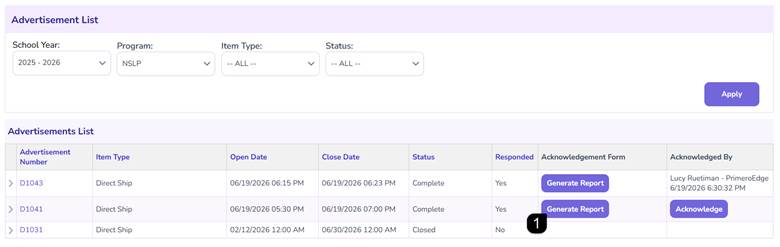
- Click Generate Report to view the USDA Food Advertisement Authorization report.
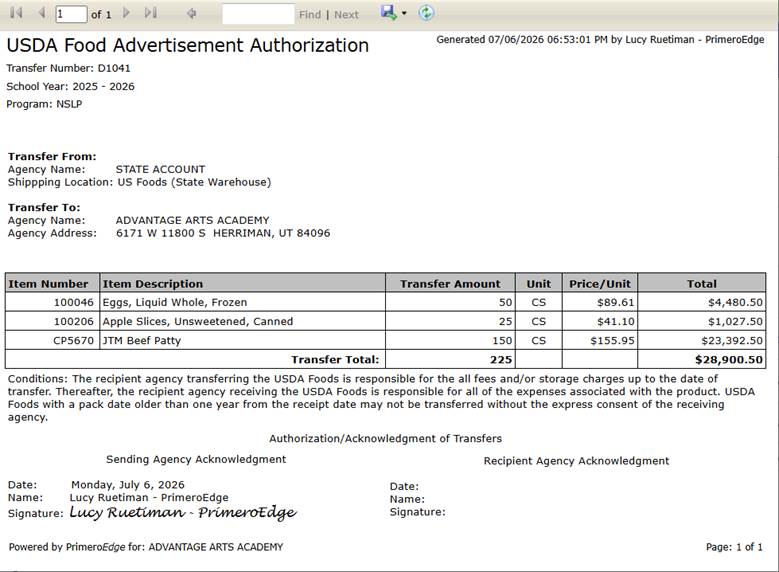
- Review the shipping and transfer details within the report.
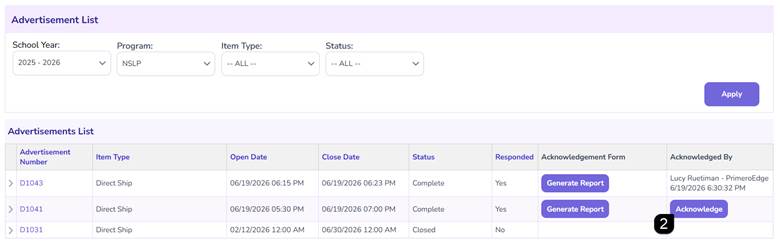
- Click the Acknowledge button to digitally sign the authorization.
FAQs
Q: Can I request a decimal quantity of an item?
A: No, the system only accepts whole numbers greater than zero.
Q: Why can't I edit my request anymore?
A: Edits are disabled once the advertisement status moves to "Closed."
Q: What does the "Complete" status signify?
A: It indicates the State Agency has approved the request, and the RA must now generate the report and acknowledge receipt/authorization.
Q: Can I save a copy of my acknowledgement?
A: Yes, the system allows you to save the generated authorization report in multiple formats.